Farming Incremental But With Guns Guides
From first harvest shot to sun-blocking crops across every biome.
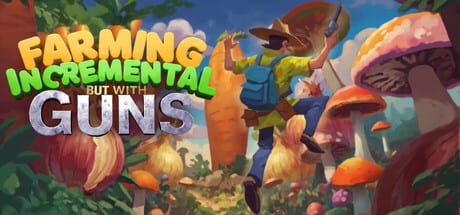
Welcome to the Farming Incremental But With Guns guides hub. Use this map to reach every tutorial on the wiki—whether you just bought the August 11, 2026 Steam release, you finished the free demo, or you are hunting Act completion and coin achievements.
Farming Incremental But With Guns is an active first-person incremental game from Clementine Wolf Games. You plant crops, let them swell into towering targets, then shoot them down for coins. Coins buy arsenal and farm upgrades. Crop enchants push sizes further until shadows blot out the sun. Biomes shift from green meadows to freezing winter lands and harsh deserts, so progression is as much about reading the map as emptying magazines.
Start here
New players should open the How to Play guide first. It covers the core loop, early upgrade station visits, and how not to stall in the opening hour. Pair it with the Controls guide if you play on keyboard and mouse or a DualSense / DualShock pad—the game ships with full controller support.
Progression deep dives
Once the basics feel natural, study Upgrade Stations so every coin multiplies the right stats. Then read Crop Enchants and How to Grow Giant Crops to understand why later biomes feel harder until your farm and gun scale together. The Biome Walkthrough stitches meadows, winter, and desert into a practical route with checkpoints for Act-style milestones.
Goals and completion
Collectors should bookmark Achievements for the seven Steam trophies, including Act 1–3 and the crop-destruction and coin goals. Cross-check spend order against the Upgrade Priority Tier List and the Early Game Build so guide advice and tier advice stay aligned.
How to use this wiki
Each guide page targets a real search intent: how to play, how to grow, how to complete Acts, how to find upgrade stations, and how to beat mid-game soft locks. Internal links use clear anchor text. Jump to Systems for crops, biomes map, review, and PC requirements, or Tools for printable checklists.
Stay current with Launch Notes after patches. Official store and demo links live on Official Links.
Session recipes
Use guides as recipes, not novels. A twenty-minute night might be: skim How to Play for one tip, buy two nodes using Upgrade Stations, then stop. A weekend push might chain Crop Enchants, How to Grow Giant Crops, and the Biome Walkthrough before sleeping on a desert unlock.
When you feel stuck, do not open every page—open the one that matches the symptom. Empty fields mean growth. Tanky crops mean damage. Flat coins mean enchants or economy. Wrong biome difficulty means the walkthrough. Missing trophies mean Achievements. That symptom map is why this hub exists.
Cross-links that keep runs honest
Guides never replace ranked spending. After any tutorial, sanity-check purchases against the Upgrade Priority Tier List and tick boxes on the Upgrade Checklist. Systems pages like Crops and Items and the Biomes Map supply vocabulary so guide paragraphs stay concrete.
New launch-week routes
- Demo Guide — try before you buy and convert demo habits into a full-game hour-one plan.
- Coin Farming — make avalanches fund the right stations.
- Completion Route — order Acts, biomes, and trophy tallies without soft locks.
- Troubleshooting — separate bad shopping from real hiccups.
PC navigation shows the top guides in the dropdown and links the rest through this hub when the list grows past eight entries—use View all whenever you cannot see a title in the header.
Frequently Asked Questions
Quick answers to the most common questions.
Where should absolute beginners start?
Read [How to Play](/guides/how-to-play/), then [Controls](/guides/controls/), then buy damage and farm growth from [Upgrade Stations](/guides/upgrade-stations/).
Do these guides cover the demo and the full game?
Yes. Core loop advice applies to both; Act and late-biome notes assume the full Steam release from August 11, 2026.
Is this wiki official?
No. It is a fan resource. Confirm patch notes and pricing on the Steam store page linked from [Official Links](/links/).
Why do I not see every guide in the header dropdown?
Desktop dropdowns show up to eight entries. Open this Guides Hub (View all) for the complete list.